


A year ago I tried the notebook as a desktop experiment. The first Arrandale MacBook Pros hit the market and I thought, why not give two cores and four threads a try. I gave it a try for less than a day before having to switch back to the Mac Pro.
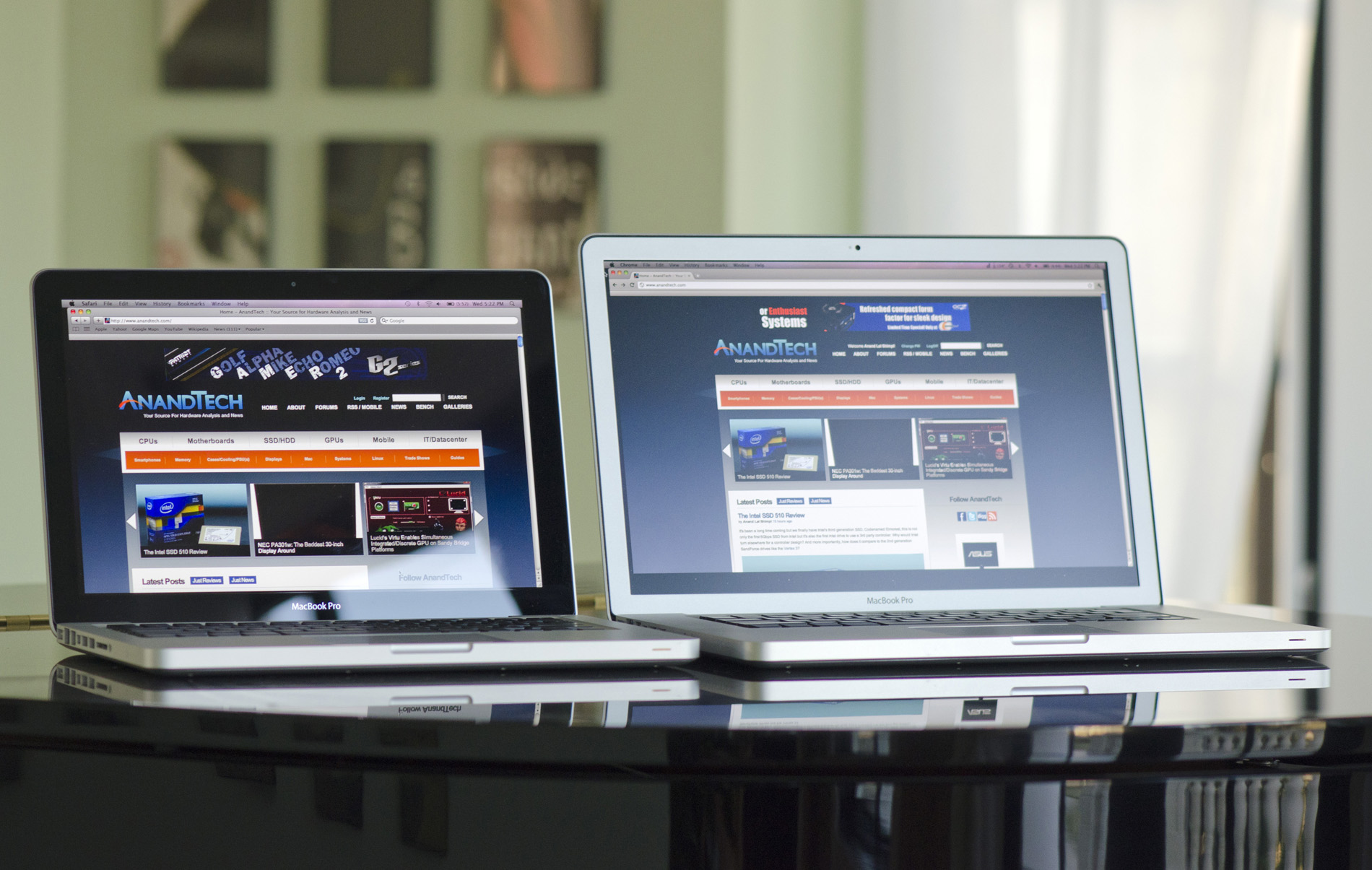
Try number two came earlier this year, with the Sandy Bridge MacBook Pro. Twice as many cores and much faster ones at that seemed to be a better recipe for success. Indeed they were. I switched from an 8-core Mac Pro to a 4-core Sandy Bridge MacBook Pro and have stuck with it for two months now.

By the end of this month alone I will have been in the air for 90 hours. Normally I'd have to frantically copy articles, benchmarks, notes and other important documents between machines before I left home for my next flight. Being able to pull an all-nighter testing, grab my notebook and head to the airport without worrying whether or not I forgot to copy something over is pretty sweet.
Regrets? I do have a few.
First, this thing isn't quiet. While my Mac Pro had beefy heatsinks and fans that spun so slowly you could count their fins, the MacBook Pro is a thermally constrained platform. Correction, it's a thermally constrained platform that's always running way too hot. It doesn't matter if the display lid is open or closed, my fans are always annoyingly audible. A lot of this has to do with my workload, I just always have things open that keep the CPU just busy enough that the fans need to work harder. It's frustrating.
Next is GPU performance. I was an early adopter of a multi-monitor setup, but ever since 30-inch displays hit the market I went back to a single display. I never really used the second display enough to justify its existence, it just made me less productive given my workload (I'm more efficient if everything I need is on a single physical screen vs. darting my eyes between two displays). The only complaints I had about 30-inch displays were unimpressive pixel density and a large desktop footprint. The new 27-inch panels started to address those concerns for me so I made the switch last year.
Despite having the upgraded AMD Radeon HD 6750M with 1GB of dedicated GDDR5, the 15-inch
MacBook Pro just isn't fast enough to drive the 2560 x 1440 external display when playing most modern games. Even Portal 2 slows down a bit if I'm looking through a portal. Not to mention that the discrete GPU running full tilt causes temperatures to hit their highest and the fans to really spin. I have other machines for gaming and my work computer is mostly for work so this isn't a deal breaker, but it's definitely annoying.
Third, and this is more an issue with Apple's software and not the MacBook Pro hardware, there's still no Quick Sync support in iMovie. As a result all of my video encoding is done on four Sandy Bridge cores instead of eight Nehalem cores in my old Mac Pro. Hmph.
I have other complaints like the sad state of full disk encryption under OS X today since I'm more paranoid about physically losing my data with a notebook. Apple still doesn't offer any support for SSDs with real time hardware encryption so I'm left physically segmenting my data and waiting for Lion. Oh and there aren't enough USB ports. Despite my issues and other than gaming/video encoding, performance isn't an issue. Sandy Bridge is quick and my overall experience is generally quicker than the Mac Pro. Other than video encoding I don't run any heavily threaded applications so a quad-core CPU is the sweet spot for my workload.
Does the added portability make up for the downsides? When I'm traveling a lot - absolutely. It's just so much more convenient. In between trips? Well, that's when it's a lot easier to tempt me back to a desktop.
A couple of weeks ago, this arrived:

It's the new 2011 upgraded 27-inch iMac. More or less it's the 2011 MacBook Pro mated to a 27-inch LED backlit Cinema Display. It's basically my setup but in an all-in-one desktop.
I never liked the iMac. I understood the appeal, but it wasn't for me. The CPUs and GPUs weren't fast enough, there weren't enough drive bays and the display was always worse than what I already had on my desk. However the same series of events that allowed me to dump the Mac Pro and use a Sandy Bridge MacBook Pro have made the iMac that much more interesting.
Moore's Law (or more specifically, hundreds of super smart process and chip engineers) have more or less solved the performance problem in these integrated machines. We've been on the longest run I can remember of software being outpaced by hardware and as a result machines like the iMac look a whole lot more powerful than they did just a few years ago.
SSDs and very high capacity mechanical drives fixed the storage problem, while the advent of 27-inch high resolution LCD panels fixed the display problem. The new iMac can easily be a real workstation for users today, when in the past it was more of a machine you'd give to your parents. To be honest, after using it for a while, I actually like the new iMac.
 At each screen size Apple has two pre-configured versions: a base and an upgraded model. The upgraded models typically have more upgrades available to them (faster CPUs, faster GPUs, etc...) while the base models are more fixed in their configuration (memory and storage are mostly configurable regardless of system).

Apple sent us the high end 27-inch iMac, which other than its larger display looks like a 21.5-inch iMac with one extra Thunderbolt port. Both systems have four USB 2.0 ports (no USB 3.0 until the Ivy Bridge iMac next summer), audio line in/out, one FireWire 800 port and a Gigabit Ethernet port. There's also integrated WiFi (802.11n) and Bluetooth.
As always, Apple's PC competitors typically win the spec game - particularly when it comes to memory and storage:
With the exception of the entry level 21.5-inch iMac, Apple always gives you 4GB of RAM (2 x 2GB DDR3-1333) SO-DIMMs and a 1TB HDD. The entry level iMac keeps the 4GB of memory but drops you down to a 500GB HDD.
Dell is significantly slower on the CPU and GPU side, while HP gives you a faster CPU and somewhat slower GPU. Both Dell and HP give you 50 - 100% more memory and twice the HDD capacity for roughly the same cost as Apple's 21.5-inch iMac. The big advantage however is that HP offers even cheaper machines, the TouchSmart line starts at $629.99.
Apple has never been a value player and the fact that the entry level iMac is at least within the same range as a comparable HP or Dell is pretty impressive. The 27-inch iMac is tempting as the display alone is worth $999. For the base 27-inch iMac that means you get a Sandy Bridge Mac integrated for only an additional $699. That's downright Dell pricing.
The big issue with all-in-ones of course is the lack of upgradability. It's arguably even more of an issue when your all-in-one has a pretty sweet 27-inch 2560 x 1440 panel. I've always kept displays through several upgrades, but you can't really do that with an iMac. I'm not really sure how to come to terms with that aspect of what Apple is offering here.
The smartphone and tablet revolution has finally kicked the display makers into high gear. I'm hoping it's a trend and not a fad and that we will see aggressive roadmaps for larger panels as well. So if replacing your 27-inch panel in a couple of years isn't a big deal then the iMac upgrade path isn't quite as painful. Either way, whoever gets your hand-me-downs will get a pretty sweet display.
Try number two came earlier this year, with the Sandy Bridge MacBook Pro. Twice as many cores and much faster ones at that seemed to be a better recipe for success. Indeed they were. I switched from an 8-core Mac Pro to a 4-core Sandy Bridge MacBook Pro and have stuck with it for two months now.
By the end of this month alone I will have been in the air for 90 hours. Normally I'd have to frantically copy articles, benchmarks, notes and other important documents between machines before I left home for my next flight. Being able to pull an all-nighter testing, grab my notebook and head to the airport without worrying whether or not I forgot to copy something over is pretty sweet.
Regrets? I do have a few.
First, this thing isn't quiet. While my Mac Pro had beefy heatsinks and fans that spun so slowly you could count their fins, the MacBook Pro is a thermally constrained platform. Correction, it's a thermally constrained platform that's always running way too hot. It doesn't matter if the display lid is open or closed, my fans are always annoyingly audible. A lot of this has to do with my workload, I just always have things open that keep the CPU just busy enough that the fans need to work harder. It's frustrating.
Next is GPU performance. I was an early adopter of a multi-monitor setup, but ever since 30-inch displays hit the market I went back to a single display. I never really used the second display enough to justify its existence, it just made me less productive given my workload (I'm more efficient if everything I need is on a single physical screen vs. darting my eyes between two displays). The only complaints I had about 30-inch displays were unimpressive pixel density and a large desktop footprint. The new 27-inch panels started to address those concerns for me so I made the switch last year.
Despite having the upgraded AMD Radeon HD 6750M with 1GB of dedicated GDDR5, the 15-inch
MacBook Pro just isn't fast enough to drive the 2560 x 1440 external display when playing most modern games. Even Portal 2 slows down a bit if I'm looking through a portal. Not to mention that the discrete GPU running full tilt causes temperatures to hit their highest and the fans to really spin. I have other machines for gaming and my work computer is mostly for work so this isn't a deal breaker, but it's definitely annoying.
Third, and this is more an issue with Apple's software and not the MacBook Pro hardware, there's still no Quick Sync support in iMovie. As a result all of my video encoding is done on four Sandy Bridge cores instead of eight Nehalem cores in my old Mac Pro. Hmph.
I have other complaints like the sad state of full disk encryption under OS X today since I'm more paranoid about physically losing my data with a notebook. Apple still doesn't offer any support for SSDs with real time hardware encryption so I'm left physically segmenting my data and waiting for Lion. Oh and there aren't enough USB ports. Despite my issues and other than gaming/video encoding, performance isn't an issue. Sandy Bridge is quick and my overall experience is generally quicker than the Mac Pro. Other than video encoding I don't run any heavily threaded applications so a quad-core CPU is the sweet spot for my workload.
Does the added portability make up for the downsides? When I'm traveling a lot - absolutely. It's just so much more convenient. In between trips? Well, that's when it's a lot easier to tempt me back to a desktop.
A couple of weeks ago, this arrived:
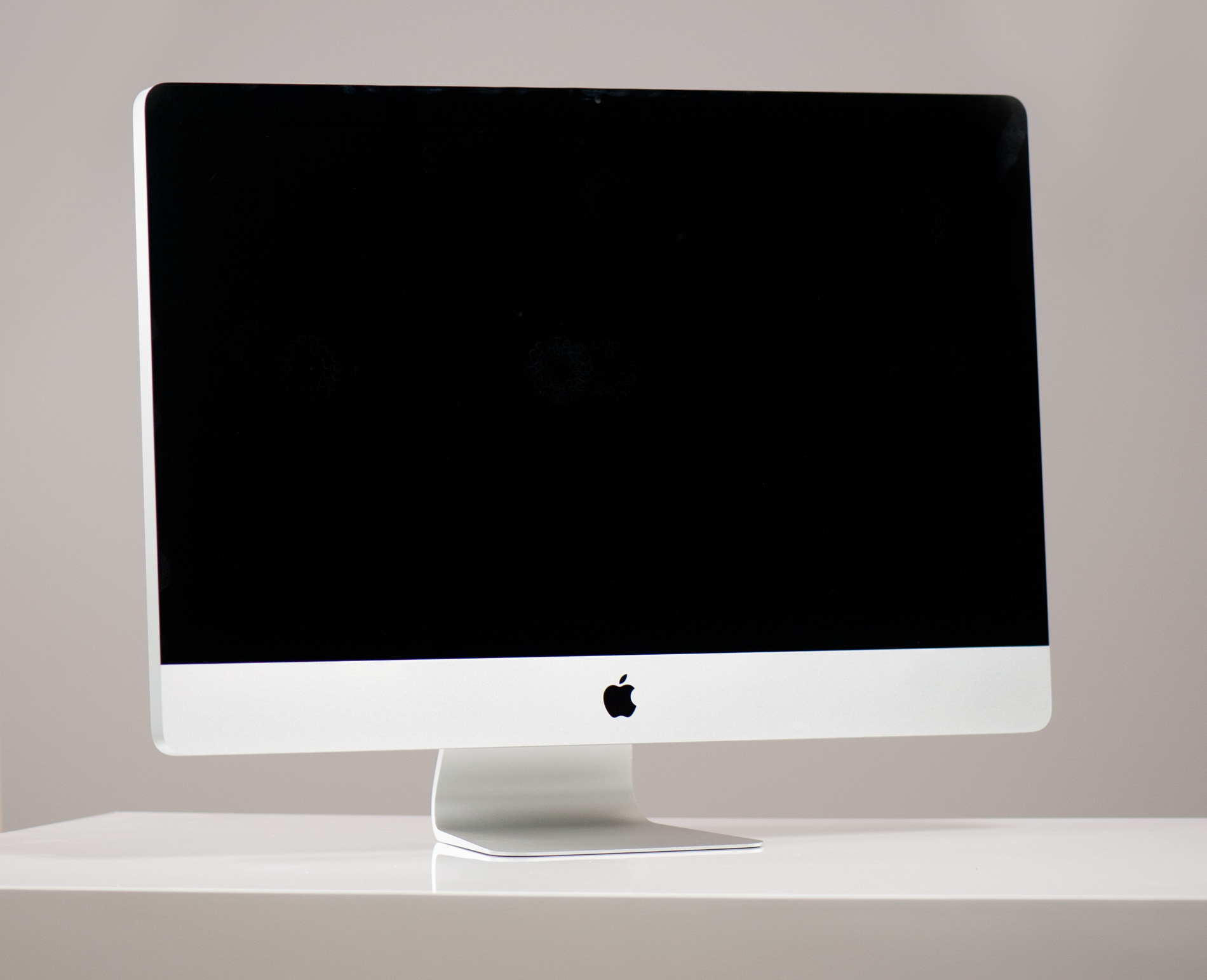
It's the new 2011 upgraded 27-inch iMac. More or less it's the 2011 MacBook Pro mated to a 27-inch LED backlit Cinema Display. It's basically my setup but in an all-in-one desktop.
I never liked the iMac. I understood the appeal, but it wasn't for me. The CPUs and GPUs weren't fast enough, there weren't enough drive bays and the display was always worse than what I already had on my desk. However the same series of events that allowed me to dump the Mac Pro and use a Sandy Bridge MacBook Pro have made the iMac that much more interesting.
Moore's Law (or more specifically, hundreds of super smart process and chip engineers) have more or less solved the performance problem in these integrated machines. We've been on the longest run I can remember of software being outpaced by hardware and as a result machines like the iMac look a whole lot more powerful than they did just a few years ago.
SSDs and very high capacity mechanical drives fixed the storage problem, while the advent of 27-inch high resolution LCD panels fixed the display problem. The new iMac can easily be a real workstation for users today, when in the past it was more of a machine you'd give to your parents. To be honest, after using it for a while, I actually like the new iMac.
Two Models
Apple offers two iMacs: a 21.5-inch and a 27-inch model. Just like Apple's notebook strategy, the iMacs are fairly similar in terms of components but primarily differ in screen size/resolution. Of course the larger the screen the higher the likelihood that you'll be doing more with your iMac and thus Apple offers some faster component options in the 27-inch models.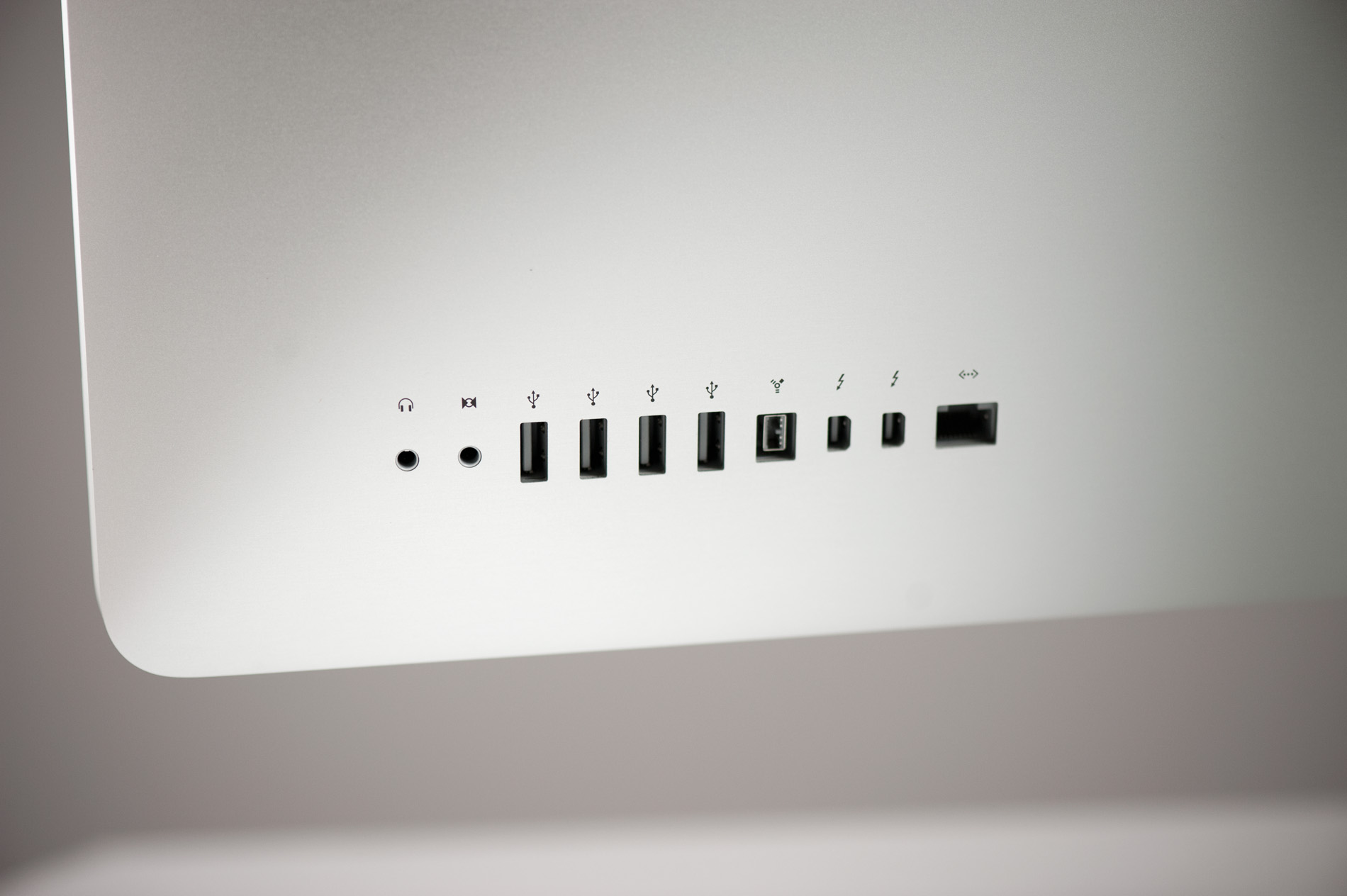
Apple sent us the high end 27-inch iMac, which other than its larger display looks like a 21.5-inch iMac with one extra Thunderbolt port. Both systems have four USB 2.0 ports (no USB 3.0 until the Ivy Bridge iMac next summer), audio line in/out, one FireWire 800 port and a Gigabit Ethernet port. There's also integrated WiFi (802.11n) and Bluetooth.
As always, Apple's PC competitors typically win the spec game - particularly when it comes to memory and storage:
| All-in-One Comparison | ||||||
| Apple iMac 21.5-inch | Dell Inspiron 2305 | HP TouchSmart 610xt | Apple iMac 27-inch | |||
| CPU | Intel Core i5-2400S (2.5GHz quad-core) | AMD Athlon II X4 610e (2.3GHz quad-core) | Intel Core i5-2400 (3.1GHz, quad-core) | Intel Core i5-2500S (2.7GHz quad-core) | ||
| GPU | AMD Radeon HD 6750M (512MB) | ATI Radeon HD 5470 (1GB) | AMD Radeon HD 5570 (1GB) | AMD Radeon HD 6770M (512MB) | ||
| RAM | 4GB DDR3-1333 | 8GB DDR3-1333 | 6GB DDR3-1066 | 4GB DDR3-1333 | ||
| Storage | 500GB 7200RPM HDD | 1TB 7200RPM HDD | 1TB 7200RPM HDD | 1TB 7200RPM HDD | ||
| Optical Drive | 8x SuperDrive (DVD±R DL/DVD±RW/CD-RW) | Blu-ray Combo Drive (BD-R, DVD±RW) | Blu-ray player & SuperMulti DVD burner | 8x SuperDrive (DVD±R DL/DVD±RW/CD-RW) | ||
| Display | 21.5-inch 1920 x 1080 | 23-inch 1920 x 1080 | 23-inch touch enabled 1920 x 1080 | 27-inch 2560 x 1440 | ||
| Price | $1199 | $1149 | $1219 | $1699 | ||
With the exception of the entry level 21.5-inch iMac, Apple always gives you 4GB of RAM (2 x 2GB DDR3-1333) SO-DIMMs and a 1TB HDD. The entry level iMac keeps the 4GB of memory but drops you down to a 500GB HDD.
Dell is significantly slower on the CPU and GPU side, while HP gives you a faster CPU and somewhat slower GPU. Both Dell and HP give you 50 - 100% more memory and twice the HDD capacity for roughly the same cost as Apple's 21.5-inch iMac. The big advantage however is that HP offers even cheaper machines, the TouchSmart line starts at $629.99.
Apple has never been a value player and the fact that the entry level iMac is at least within the same range as a comparable HP or Dell is pretty impressive. The 27-inch iMac is tempting as the display alone is worth $999. For the base 27-inch iMac that means you get a Sandy Bridge Mac integrated for only an additional $699. That's downright Dell pricing.
The big issue with all-in-ones of course is the lack of upgradability. It's arguably even more of an issue when your all-in-one has a pretty sweet 27-inch 2560 x 1440 panel. I've always kept displays through several upgrades, but you can't really do that with an iMac. I'm not really sure how to come to terms with that aspect of what Apple is offering here.
The smartphone and tablet revolution has finally kicked the display makers into high gear. I'm hoping it's a trend and not a fad and that we will see aggressive roadmaps for larger panels as well. So if replacing your 27-inch panel in a couple of years isn't a big deal then the iMac upgrade path isn't quite as painful. Either way, whoever gets your hand-me-downs will get a pretty sweet display.


